Guaranty Agencies Security Self-assessment and Attestation
Guaranty Agencies Security Self-assessment and Attestation
UPATED_TDSP-GA Online Tool FINAL 12172025
Guaranty Agencies Security Self-assessment and Attestation
OMB: 1845-0134
All Guaranty Agencies will be utilizing a new online tool TDSP-GA that has been developed and is managed by FSA to complete their annual Security Self-Assessment survey. The previously used online tool GASATRAQ has been discontinued.
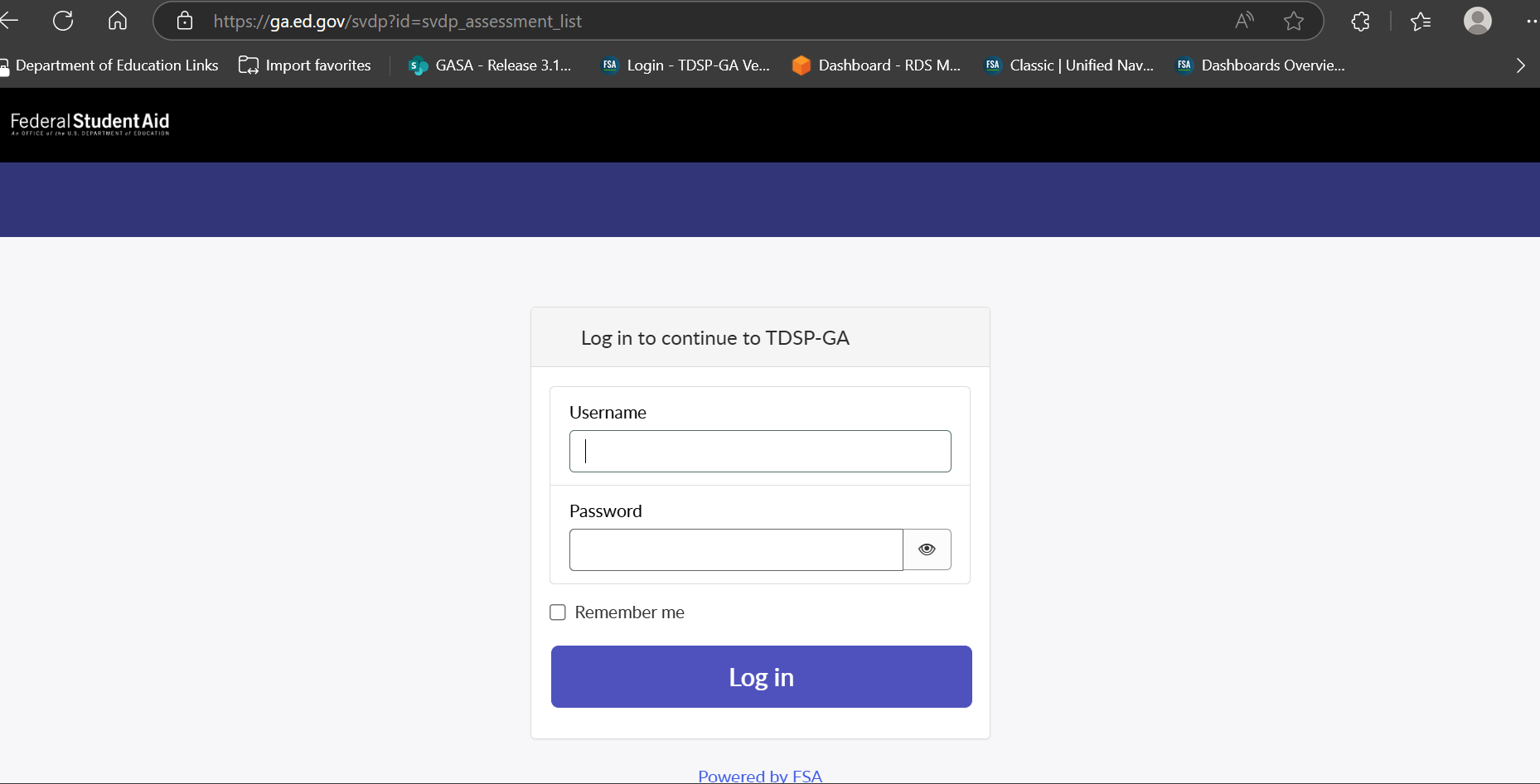
Login Page: To access the tool navigate to https://ga.ed.gov
All users are required to provide a valid “Username and Password” to access the online tool.
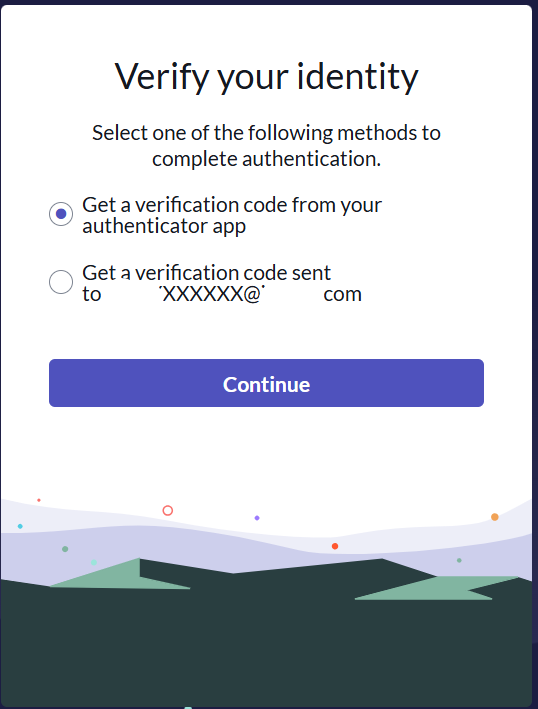
Two Factor Authentication:
Users are presented with Two Factor Authentication options to complete login
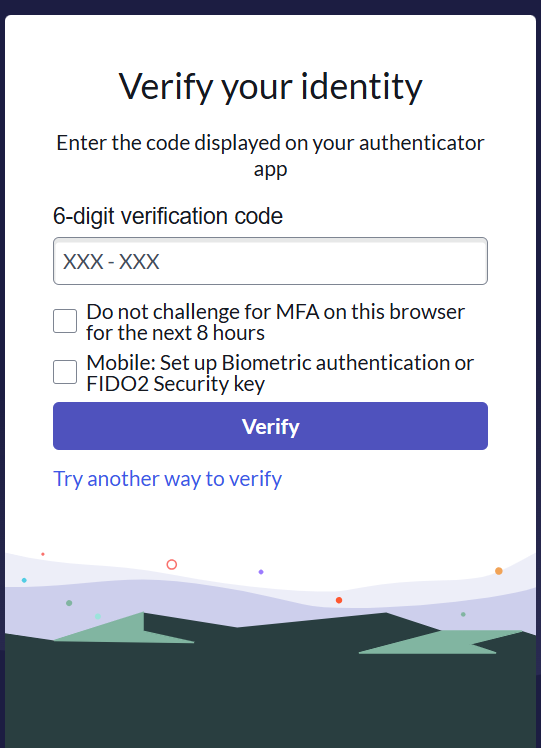
Enter verification code to continue
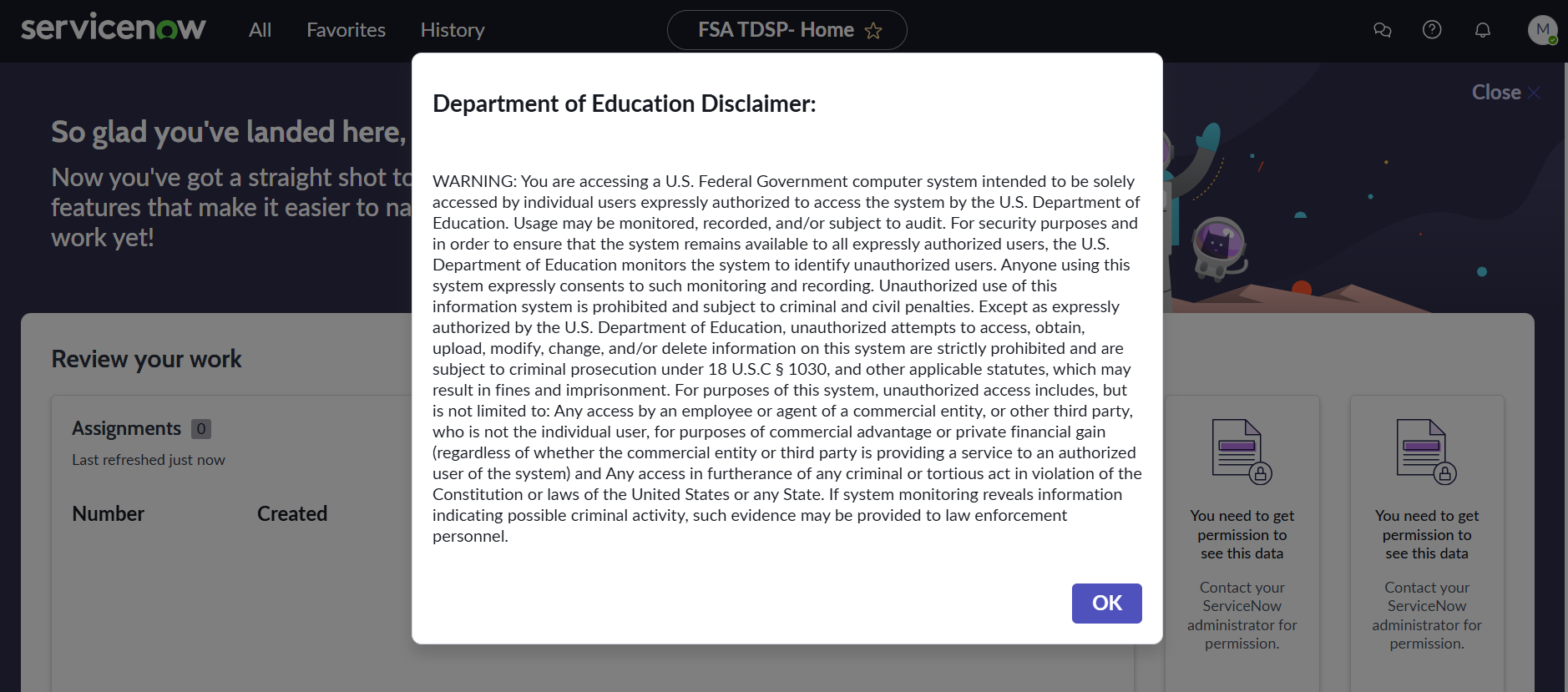
Warning Banner Page:
Users are presented with the below “Warning Banner” page after logging in to www.ga.ed.gov. Users will need to select “OK” button to continue to the Home page
Home/Landing Page:
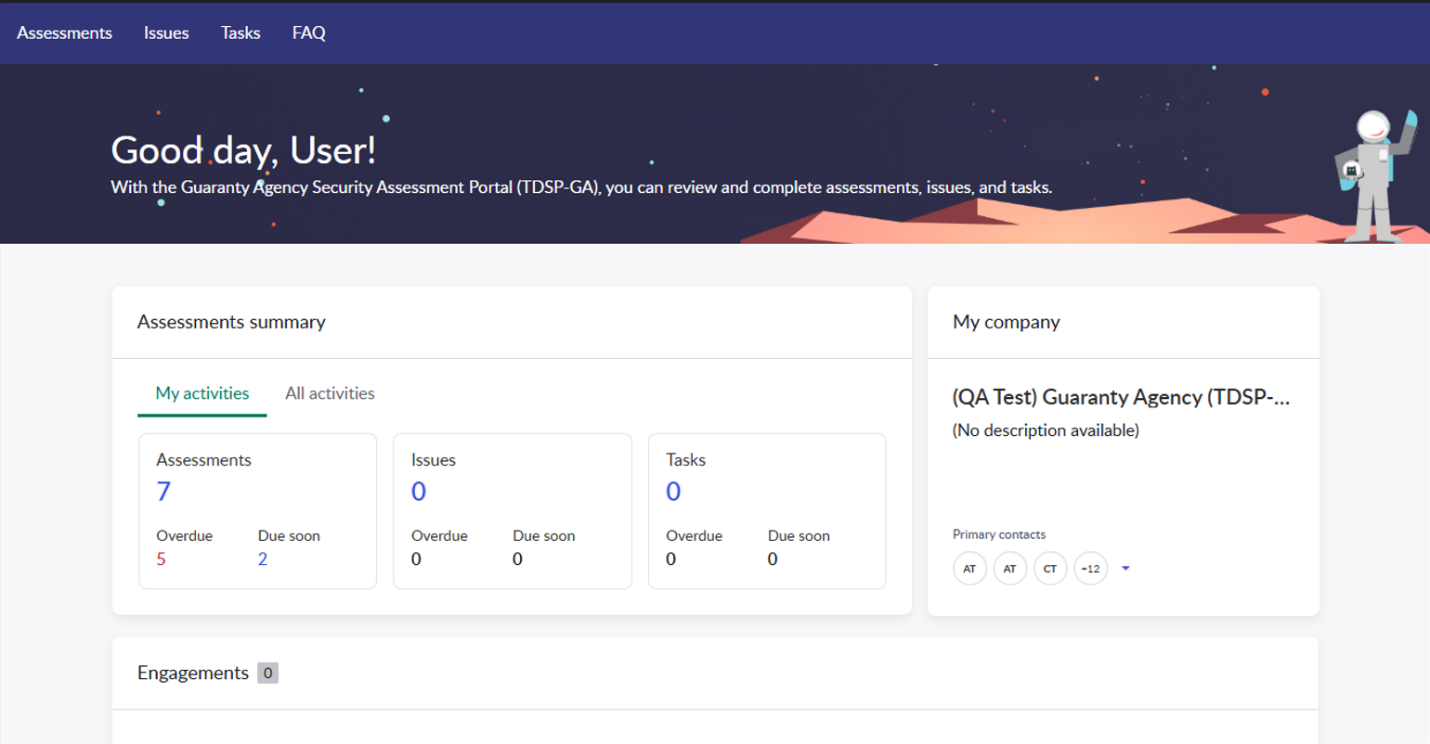
After logging in, users will be presented with a homepage to navigate to their Assessments.
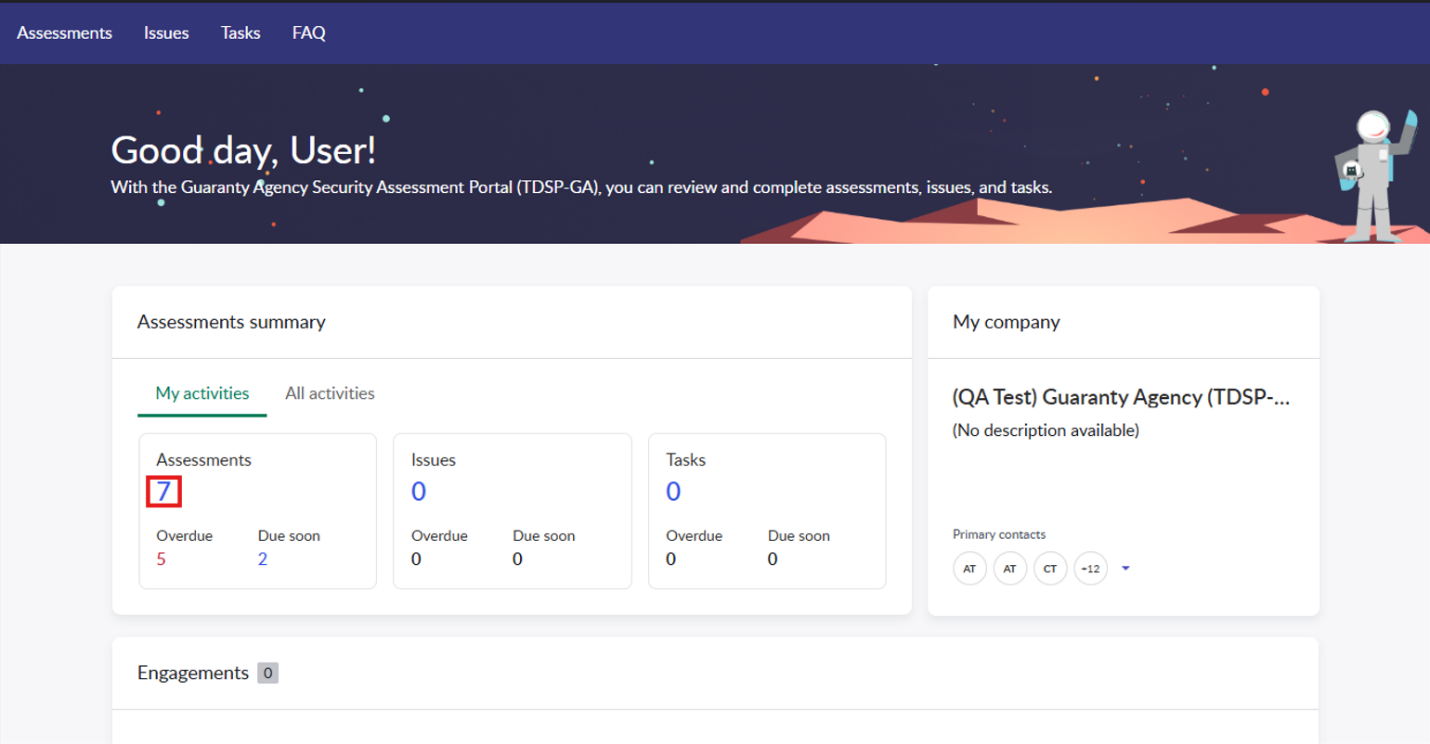
After logging in, users will be presented with a homepage to navigate to their Assessments. Select the number below “Assessments” to view them.
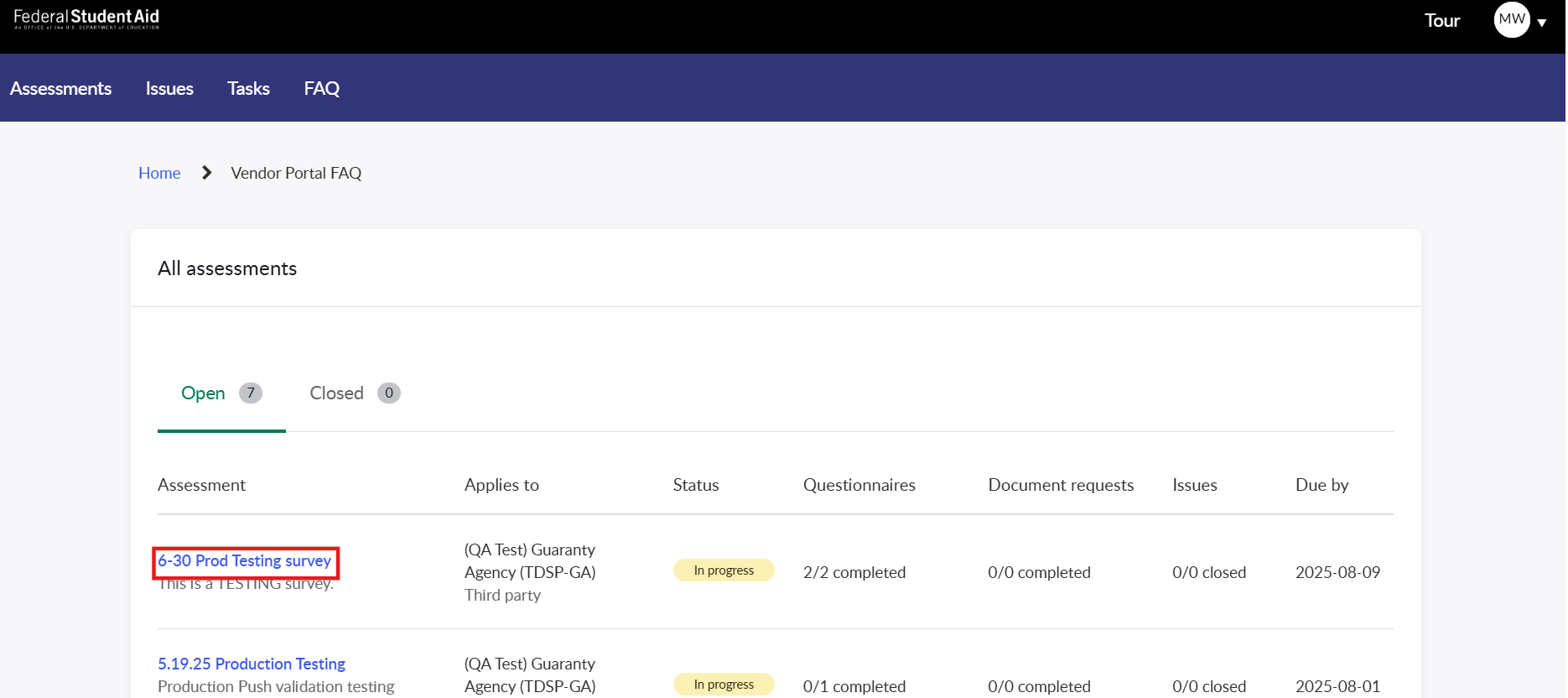
Navigate to your survey in the “Assessment” column and select the name to start completing the survey.
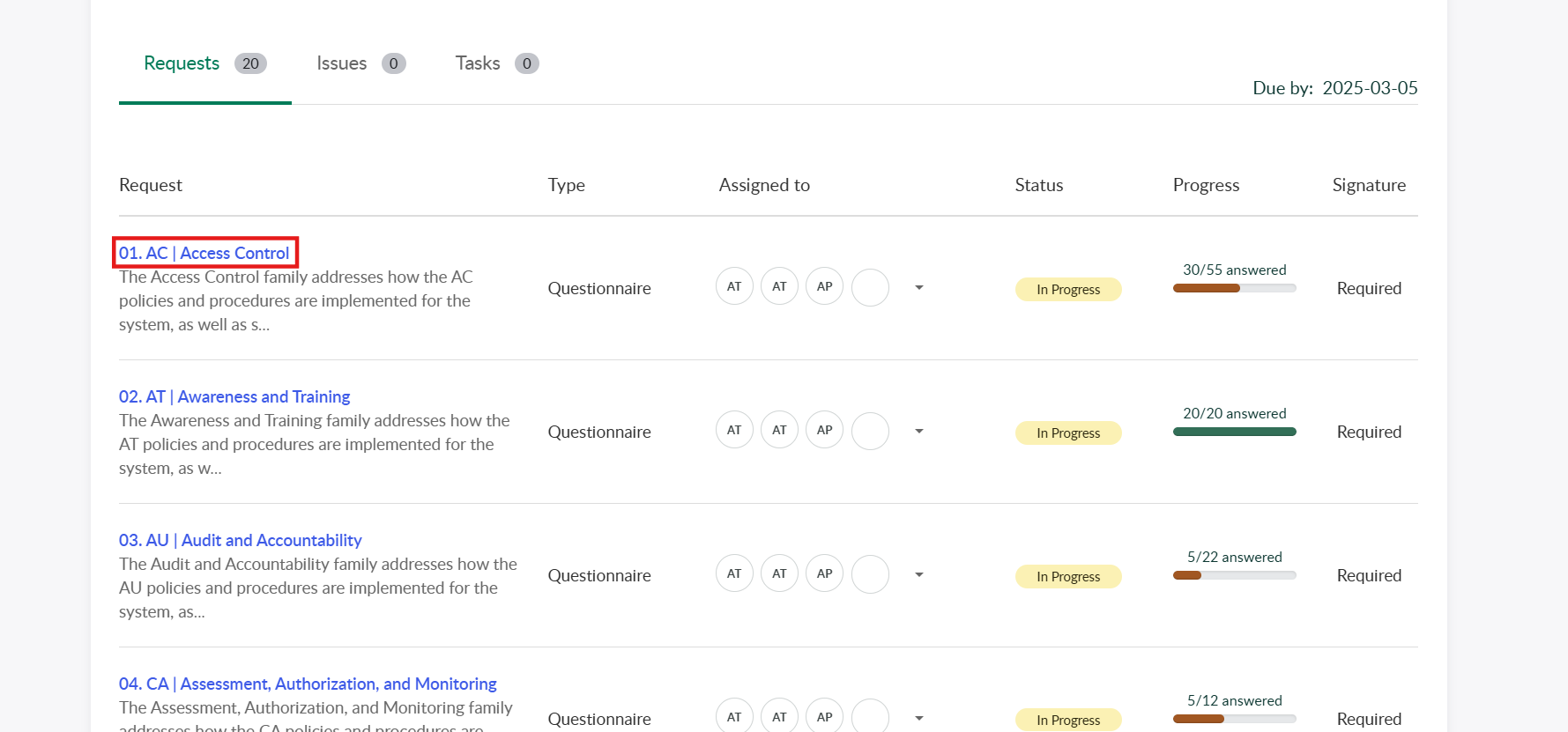
Select a control family you’re assigned to by clicking the control family name to begin completing the questionnaire.
Complete the questionnaire by answering the questions on the page. When you’ve completed a control and are ready to move on to the next, select the “Next” button in the bottom right of the page or select the next control from the pane on the left side of the page.
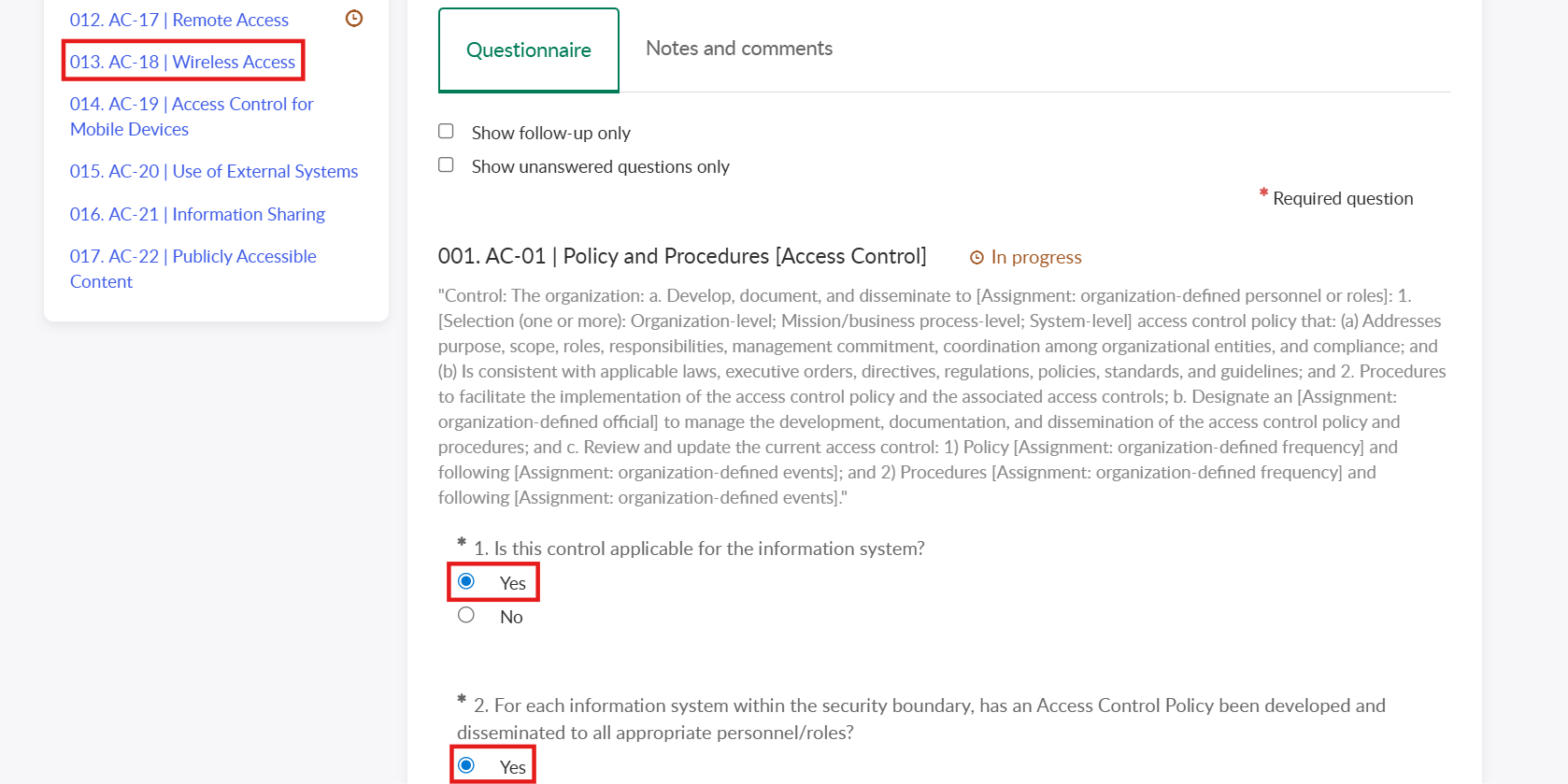
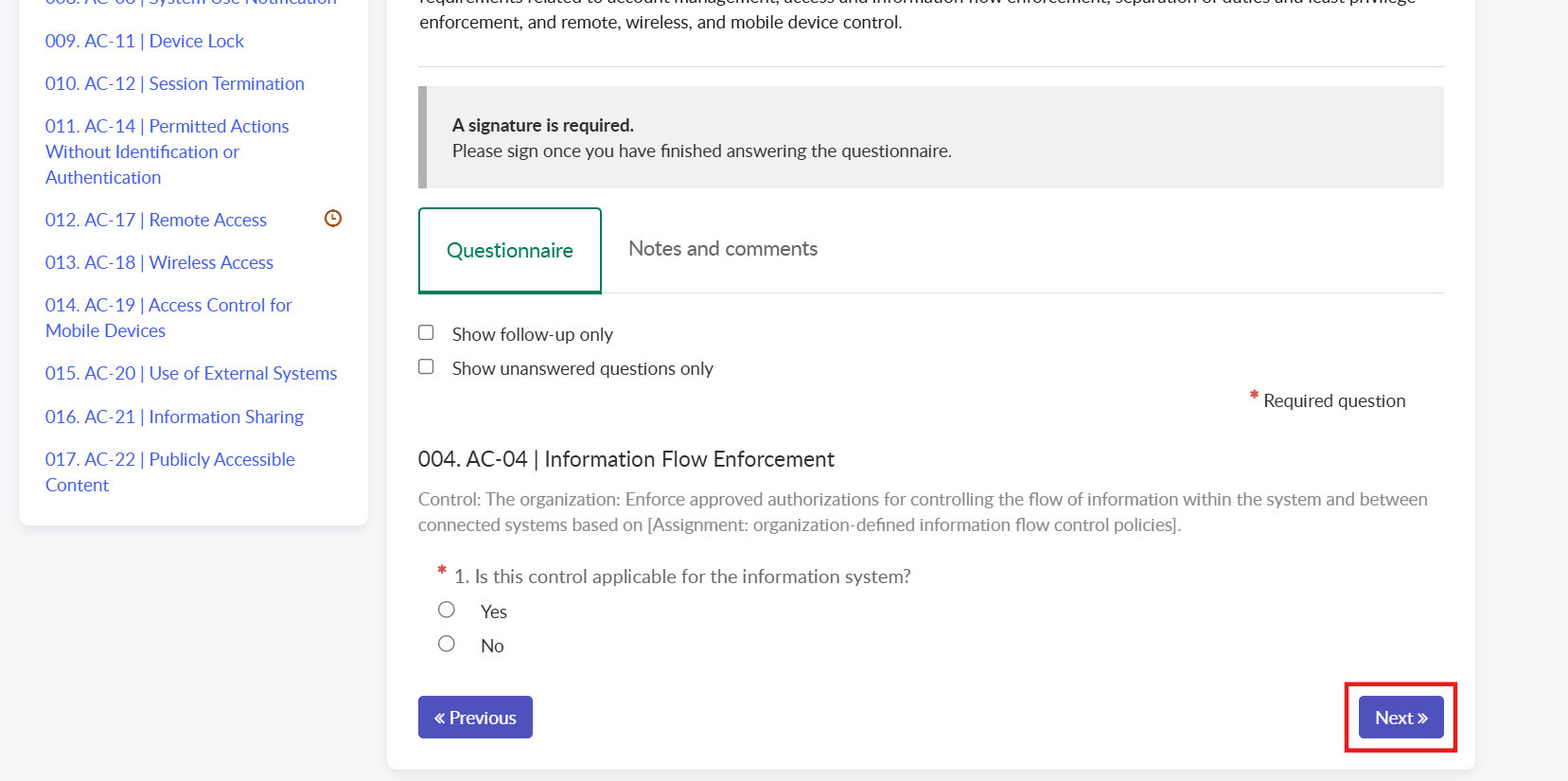
Once all questions have been answered in a control family, select the “Save and sign” button to submit the control family.
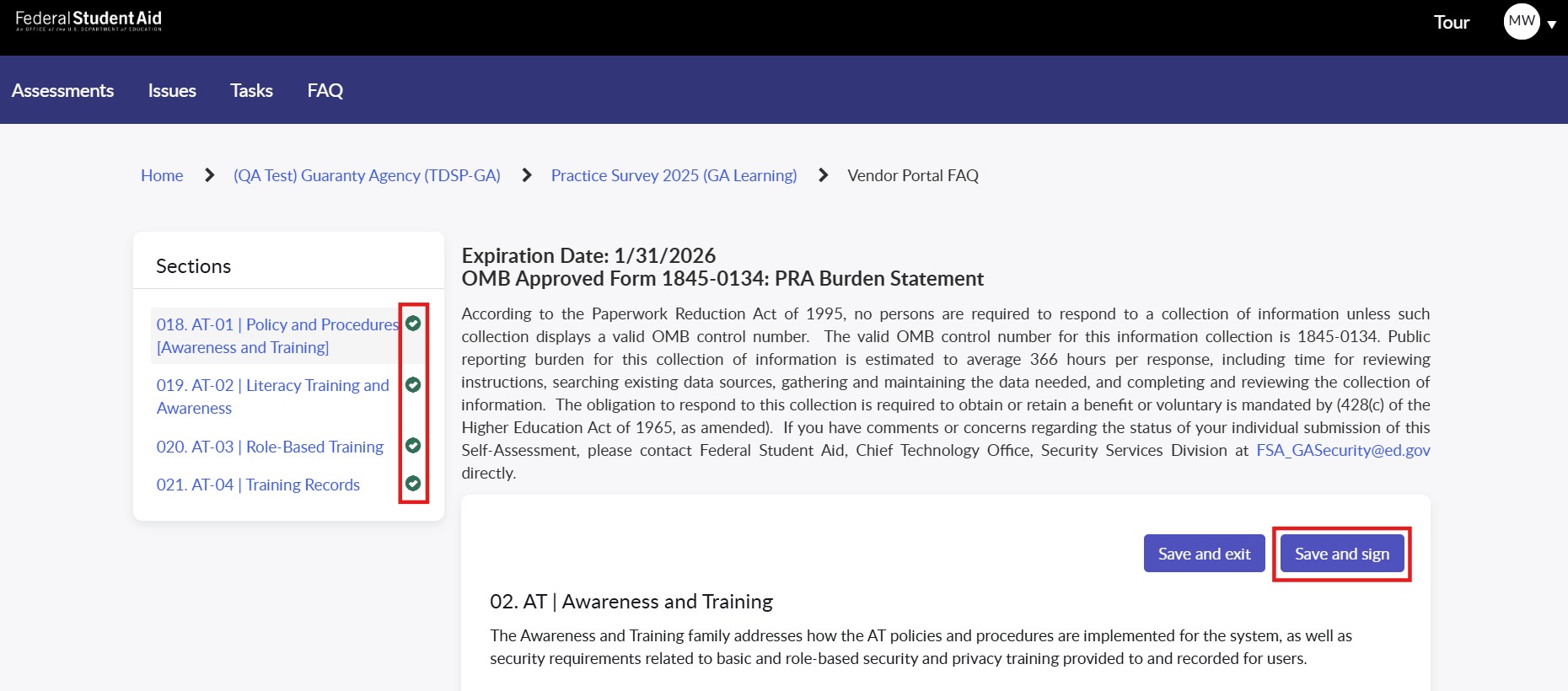
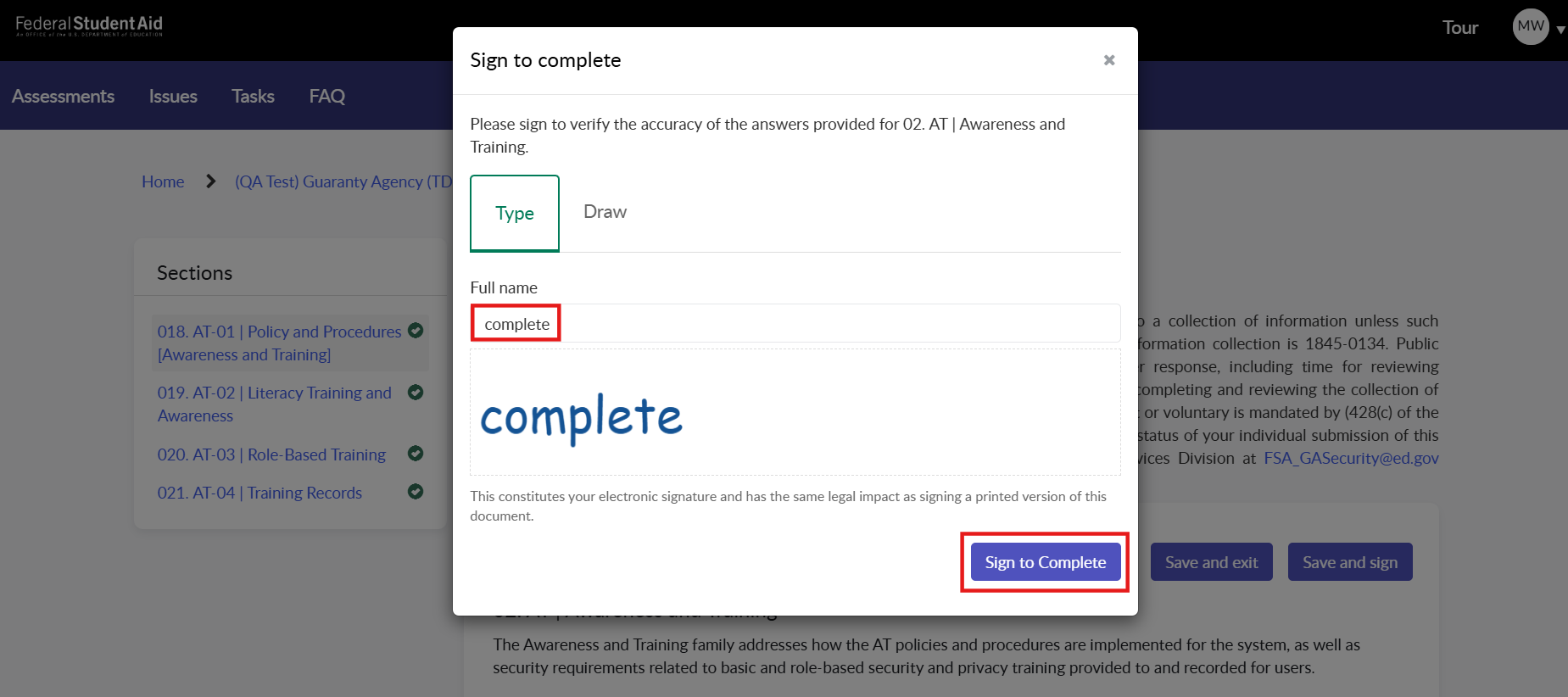
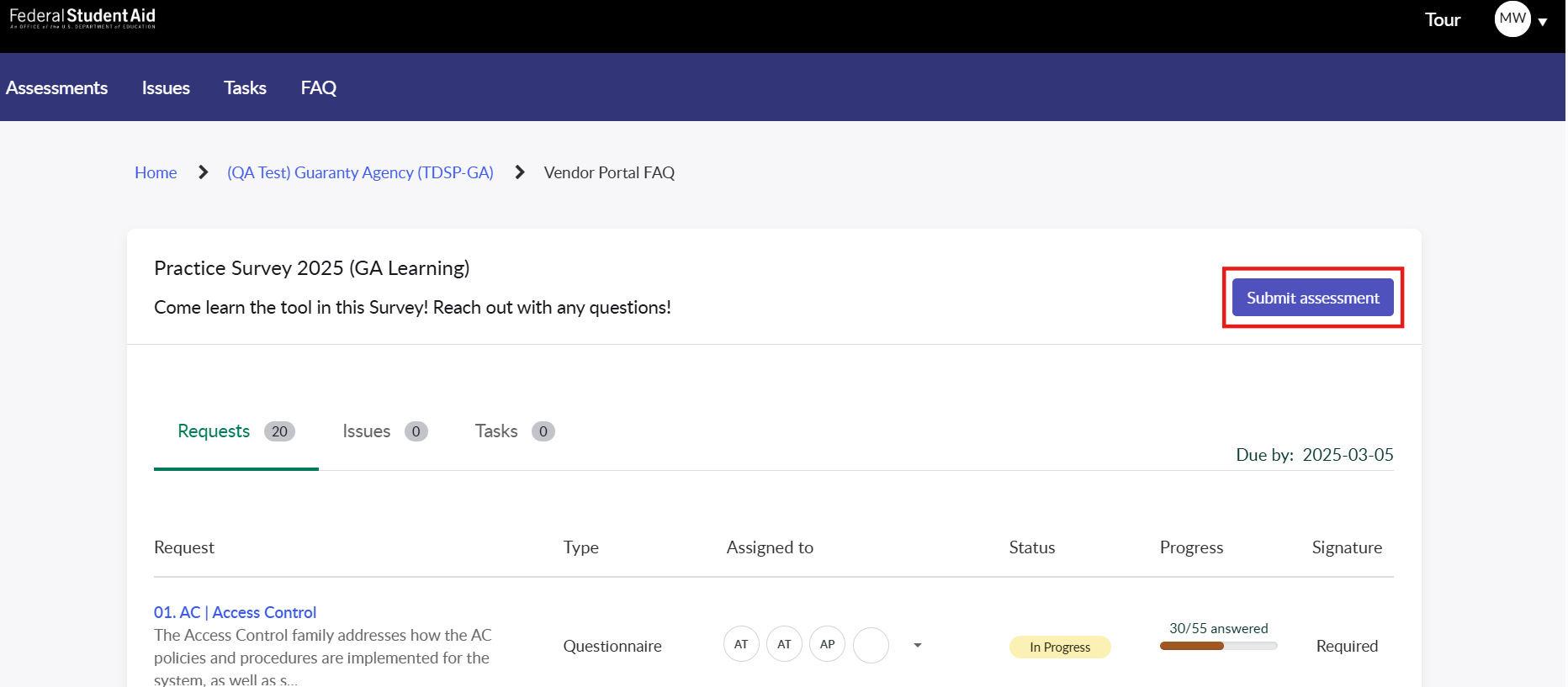
Once all control families have been submitted, a GA Supervisor can submit the assessment for review.
| File Type | application/vnd.openxmlformats-officedocument.wordprocessingml.document |
| Author | Wolf, Matthew (Contractor) |
| File Modified | 0000-00-00 |
| File Created | 2025-12-24 |
© 2026 OMB.report | Privacy Policy